

开放API-MCP
项目介绍
技术文档摘要
OpenAPI到模型上下文协议(MCP)





OpenAPI-MCP代理将OpenAPI规范转换为MCP工具,使AI代理能够无需自定义包装器即可访问外部API!
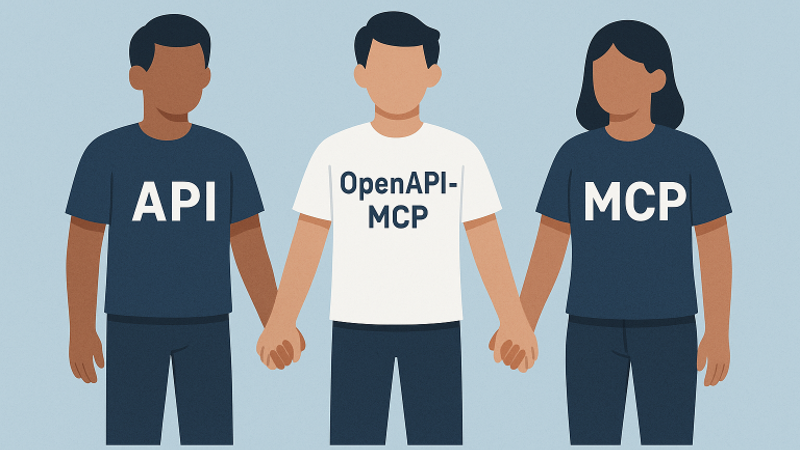
桥接AI代理与外部API之间的鸿沟
OpenAPI到模型上下文协议(MCP)代理服务器通过动态翻译OpenAPI规范为标准化的MCP工具、资源和提示,桥接了AI代理与外部API之间的鸿沟。这简化了集成,消除了自定义API包装器的需求。
使用官方MCP模式和最佳实践构建的FastMCP框架,该服务器提供:
-
✅ 官方FastMCP集成 - 使用最新的FastMCP框架以获得最佳性能
-
✅ 正确的MCP传输 - 支持stdio、SSE和可流式传输的HTTP传输
-
✅ 模块化架构 - 清晰的责任分离和依赖注入
-
✅ 生产就绪 - 健全的错误处理、全面的日志记录和类型安全
如果你觉得它有用,请在GitHub上给它一个⭐!
主要功能
核心功能
- FastMCP传输:针对
stdio进行了优化,开箱即用支持流行的LLM编排器。 - OpenAPI集成:解析并注册OpenAPI操作为可调用工具。
- 资源注册:自动将OpenAPI组件模式转换为具有定义URI的资源对象。
- 提示生成:基于API操作生成上下文提示,引导LLM使用API。
- 双重认证:支持OAuth2客户端凭证流程和用户名/密码认证,并自动缓存令牌。
- MCP HTTP传输:符合官方MCP标准的HTTP流传输,使用SSE上的JSON-RPC 2.0。
- 服务端发送事件(SSE):遗留流支持(已弃用 - 使用MCP HTTP传输)。
- JSON-RPC 2.0支持:完全符合请求/响应结构。
高级功能
- 模块化架构:清晰的责任分离,专门用于认证、请求处理和工具生成的模块。
- 健壮的错误处理:全面的异常层次结构,带有适当的JSON-RPC错误代码和结构化的错误响应。
- 自动元数据:从OpenAPI规范中推导出工具名称、摘要和模式。
- 清理工具名称:确保与MCP名称约束兼容。
- 灵活的参数解析:支持查询字符串、JSON和逗号分隔格式,并进行智能类型转换。
- 增强的参数处理:自动将参数转换为正确的数据类型并进行验证。
- 扩展的工具元数据:包括详细的参数信息、响应模式和API分类。
- CRUD操作检测:自动识别并生成创建、读取、更新、删除操作的示例提示。
- 符合MCP的流传输:官方MCP HTTP传输,用于实时流传输,具有适当会话管理。
开发者体验
- 配置管理:集中处理环境变量,带有验证和默认值。
- 全面的日志记录:带有适当级别的结构化日志记录,用于调试和监控。
- 类型安全:在整个代码库中提供完整的类型提示和验证。
- 可扩展设计:工厂模式和依赖注入,便于定制和测试。
🚀 快速开始
安装
git clone https://github.com/gujord/OpenAPI-MCP.git
cd OpenAPI-MCP
python3.12 -m venv venv
source venv/bin/activate  # 在Windows上:venv\Scripts\activate
pip install -r requirements.txt
🎯 简单用法
选项1:快速测试(挪威天气API)
# 激活虚拟环境
source venv/bin/activate

# 运行天气API服务器
OPENAPI_URL="https://api.met.no/weatherapi/locationforecast/2.0/swagger" \
SERVER_NAME="weather" \
python src/fastmcp_server.py
选项2:HTTP传输(推荐用于Claude桌面)
# 启动带有HTTP传输的天气API
source venv/bin/activate && \
OPENAPI_URL="https://api.met.no/weatherapi/locationforecast/2.0/swagger" \
SERVER_NAME="weather" \
MCP_HTTP_ENABLED="true" \
MCP_HTTP_PORT="8001" \
python src/fastmcp_server.py
🔗 Claude桌面设置
1. 复制提供的配置:
cp claude_desktop_config.json ~/Library/Application\ Support/Claude/claude_desktop_config.json
2. 启动天气服务器:
source venv/bin/activate && \
OPENAPI_URL="https://api.met.no/weatherapi/locationforecast/2.0/swagger" \
SERVER_NAME="weather" \
MCP_HTTP_ENABLED="true" \
MCP_HTTP_PORT="8001" \
python src/fastmcp_server.py
3. 在Claude桌面中测试:
- 询问:"明天奥斯陆的天气怎么样?"
- Claude将自动使用
weather_get__compact工具!
🌐 多个API服务器
同时运行多个OpenAPI服务:
# 终端1:天气API
source venv/bin/activate && \
OPENAPI_URL="https://api.met.no/weatherapi/locationforecast/2.0/swagger" \
SERVER_NAME="weather" \
MCP_HTTP_ENABLED="true" \
MCP_HTTP_PORT="8001" \
python src/fastmcp_server.py

# 终端2:宠物商店API
source venv/bin/activate && \
OPENAPI_URL="https://petstore3.swagger.io/api/v3/openapi.json" \
SERVER_NAME="petstore" \
MCP_HTTP_ENABLED="true" \
MCP_HTTP_PORT="8002" \
python src/fastmcp_server.py
🐳 Docker部署
使用Docker快速启动:
# 启动所有服务(天气+宠物商店)
./docker-start.sh

# 或手动
docker-compose up --build -d
这将自动运行:
- 天气API在8001端口
- 宠物商店API在8002端口
⚙️ 高级配置
Claude桌面/Cursor/Windsurf
HTTP传输(推荐):
使用提供的配置文件:
cp claude_desktop_config.json ~/Library/Application\ Support/Claude/claude_desktop_config.json
或手动创建:
{
  "mcpServers": {
    "weather": {
      "command": "npx",
      "args": ["mcp-remote", "http://127.0.0.1:8001/sse"]
    },
    "petstore": {
      "command": "npx",
      "args": ["mcp-remote", "http://127.0.0.1:8002/sse"]
    }
  }
}
Stdio传输(替代方案):
{
  "mcpServers": {
    "weather": {
      "command": "/full/path/to/OpenAPI-MCP/venv/bin/python",
      "args": ["/full/path/to/OpenAPI-MCP/src/fastmcp_server.py"],
      "env": {
        "SERVER_NAME": "weather",
        "OPENAPI_URL": "https://api.met.no/weatherapi/locationforecast/2.0/swagger"
      },
      "transport": "stdio"
    }
  }
}
注意:替换
/full/path/to/OpenAPI-MCP为你实际的安装路径。
使用本地规范和自定义头
{
  "mcpServers": {
    "local_api": {
      "command": "/full/path/to/OpenAPI-MCP/venv/bin/python",
      "args": ["/full/path/to/OpenAPI-MCP/src/fastmcp_server.py"],
      "env": {
        "SERVER_NAME": "local_api",
        "OPENAPI_URL": "./specs/my-api.yaml",
        "MCP_AUTH_HEADERS": "{\"X-API-Key\": \"your-key-here\"}"
      },
      "transport": "stdio"
    }
  }
}
使用用户名/密码认证
{
  "mcpServers": {
    "secure_api": {
      "command": "full_path_to_openapi_mcp/venv/bin/python",
      "args": ["full_path_to_openapi_mcp/src/server.py"],
      "env": {
        "SERVER_NAME": "secure_api",
        "OPENAPI_URL": "https://api.example.com/openapi.json",
        "API_USERNAME": "your_username",
        "API_PASSWORD": "your_password"
      },
      "transport": "stdio"
    }
  }
}
使用OAuth2认证
{
  "mcpServers": {
    "oauth_api": {
      "command": "full_path_to_openapi_mcp/venv/bin/python",
      "args": ["full_path_to_openapi_mcp/src/server.py"],
      "env": {
        "SERVER_NAME": "oauth_api",
        "OPENAPI_URL": "https://api.example.com/openapi.json",
        "OAUTH_CLIENT_ID": "your_client_id",
        "OAUTH_CLIENT_SECRET": "your_client_secret",
        "OAUTH_TOKEN_URL": "https://api.example.com/oauth/token"
      },
      "transport": "stdio"
    }
  }
}
多个API服务器与MCP HTTP传输
配置多个OpenAPI服务以同时运行:
{
  "mcpServers": {
    "weather": {
      "command": "npx",
      "args": [
        "mcp-remote",
        "http://127.0.0.1:8001/sse"
      ]
    },
    "petstore": {
      "command": "npx",
      "args": [
        "mcp-remote",
        "http://127.0.0.1:8002/sse"
      ]
    }
  }
}
此配置允许Claude同时访问天气数据和宠物商店API工具,具有明确的工具命名如weather_get__compact和petstore_addPet。
单个API服务器与MCP HTTP传输
对于单个API服务:
标准SSE配置:
{
  "mcpServers": {
    "openapi_service": {
      "command": "npx",
      "args": [
        "mcp-remote",
        "http://127.0.0.1:8001/sse"
      ]
    }
  }
}
可流式传输的HTTP配置:
{
  "mcpServers": {
    "openapi_service": {
      "command": "npx",
      "args": [
        "mcp-remote",
        "http://127.0.0.1:8001/mcp"
      ]
    }
  }
}
带调试(用于开发):
{
  "mcpServers": {
    "openapi_service": {
      "command": "npx",
      "args": [
        "mcp-remote",
        "http://127.0.0.1:8001/sse",
        "--debug"
      ]
    }
  }
}
带自定义传输策略:
{
  "mcpServers": {
    "openapi_service": {
      "command": "npx",
      "args": [
        "mcp-remote",
        "http://127.0.0.1:8001/mcp",
        "--transport",
        "streamable-http"
      ]
    }
  }
}
使用遗留SSE流传输(已弃用)
{
  "mcpServers": {
    "streaming_api": {
      "command": "full_path_to_openapi_mcp/venv/bin/python",
      "args": ["full_path_to_openapi_mcp/src/server.py"],
      "env": {
        "SERVER_NAME": "streaming_api",
        "OPENAPI_URL": "https://api.example.com/openapi.json",
        "SSE_ENABLED": "true",
        "SSE_HOST": "127.0.0.1",
        "SSE_PORT": "8001"
      },
      "transport": "stdio"
    }
  }
}
将此配置应用于以下文件:
- Cursor:
~/.cursor/mcp.json - Windsurf:
~/.codeium/windsurf/mcp_config.json - Claude Desktop:
~/Library/Application Support/Claude/claude_desktop_config.json
替换
full_path_to_openapi_mcp为你实际的安装路径。
多个API的快速设置
复制提供的示例配置:
cp claude_desktop_config.json ~/Library/Application\ Support/Claude/claude_desktop_config.json
启动两个服务:
# 终端1
source venv/bin/activate && \
OPENAPI_URL="https://api.met.no/weatherapi/locationforecast/2.0/swagger" \
SERVER_NAME="weather" \
MCP_HTTP_ENABLED="true" \
MCP_HTTP_PORT="8001" \
python src/fastmcp_server.py

# 终端2
source venv/bin/activate && \
OPENAPI_URL="https://petstore3.swagger.io/api/v3/openapi.json" \
SERVER_NAME="petstore" \
MCP_HTTP_ENABLED="true" \
MCP_HTTP_PORT="8002" \
python src/fastmcp_server.py
结果:Claude可以访问带有前缀工具名的天气和宠物商店API。
环境配置
核心配置
| 变量 | 描述 | 是否必需 | 默认值 |
|---|---|---|---|
OPENAPI_URL | OpenAPI规范的URL或本地文件路径 | 是 | - |
SERVER_NAME | MCP服务器名称 | 否 | openapi_proxy_server |
OAuth2认证
| 变量 | 描述 | 是否必需 | 默认值 |
|---|---|---|---|
OAUTH_CLIENT_ID | OAuth客户端ID | 否 | - |
OAUTH_CLIENT_SECRET | OAuth客户端密钥 | 否 | - |
OAUTH_TOKEN_URL | OAuth令牌端点URL | 否 | - |
OAUTH_SCOPE | OAuth范围 | 否 | api |
用户名/密码认证
| 变量 | 描述 | 是否必需 | 默认值 |
|---|---|---|---|
API_USERNAME | 认证使用的API用户名 | 否 | - |
API_PASSWORD | 认证使用的API密码 | 否 | - |
API_LOGIN_ENDPOINT | 登录端点URL | 否 | 自动检测 |
自定义认证头
| 变量 | 描述 | 是否必需 | 默认值 |
|---|---|---|---|
MCP_AUTH_HEADERS | 自定义认证头(JSON或键值对格式) | 否 | - |
MCP HTTP传输(推荐)
| 变量 | 描述 | 是否必需 | 默认值 |
|---|---|---|---|
MCP_HTTP_ENABLED | 启用MCP HTTP传输 | 否 | false |
MCP_HTTP_HOST | MCP HTTP服务器主机 | 否 | 127.0.0.1 |
MCP_HTTP_PORT | MCP HTTP服务器端口 | 否 | 8000 |
MCP_CORS_ORIGINS | CORS源(逗号分隔) | 否 | * |
MCP_MESSAGE_SIZE_LIMIT | 消息大小限制 | 否 | 4mb |
MCP_BATCH_TIMEOUT | 批处理超时(秒) | 否 | 30 |
MCP_SESSION_TIMEOUT | 会话超时(秒) | 否 | 3600 |
遗留SSE支持(已弃用)
| 变量 | 描述 | 是否必需 | 默认值 |
|---|---|---|---|
SSE_ENABLED | 启用SSE流支持 | 否 | false |
SSE_HOST | SSE服务器主机 | 否 | 127.0.0.1 |
SSE_PORT | SSE服务器端口 | 否 | 8000 |
📁 加载本地OpenAPI规范
现在可以从本地文件系统加载OpenAPI规范,而不需要远程URL:
JSON格式
source venv/bin/activate
OPENAPI_URL="./specs/my-api.json" \
SERVER_NAME="local_api" \
python src/fastmcp_server.py
YAML格式
source venv/bin/activate
OPENAPI_URL="../shared/api.yaml" \
SERVER_NAME="local_api" \
python src/fastmcp_server.py
绝对路径
source venv/bin/activate
OPENAPI_URL="/Users/myuser/projects/api-spec.json" \
SERVER_NAME="local_api" \
python src/fastmcp_server.py