

麦普服务器 Reddit
项目介绍
MCP Server Reddit
这是一个提供对Reddit公共API访问的Model Context Protocol服务器,供LLMs使用。该服务器使LLMs能够与Reddit的内容进行交互,包括浏览首页帖子、获取子版块信息以及阅读帖子评论。
此服务器使用redditwarp与Reddit的公共API进行交互,并通过MCP协议公开这些功能。
<a href="https://glama.ai/mcp/servers/4032xr14pu"><img width="380" height="200" src="https://gips2.baidu.com/it/u=1020657082,1786349341&fm=3081&app=3081&f=PNG?w=760&h=400" alt="Reddit MCP服务器" /></a>
视频演示(点击观看)
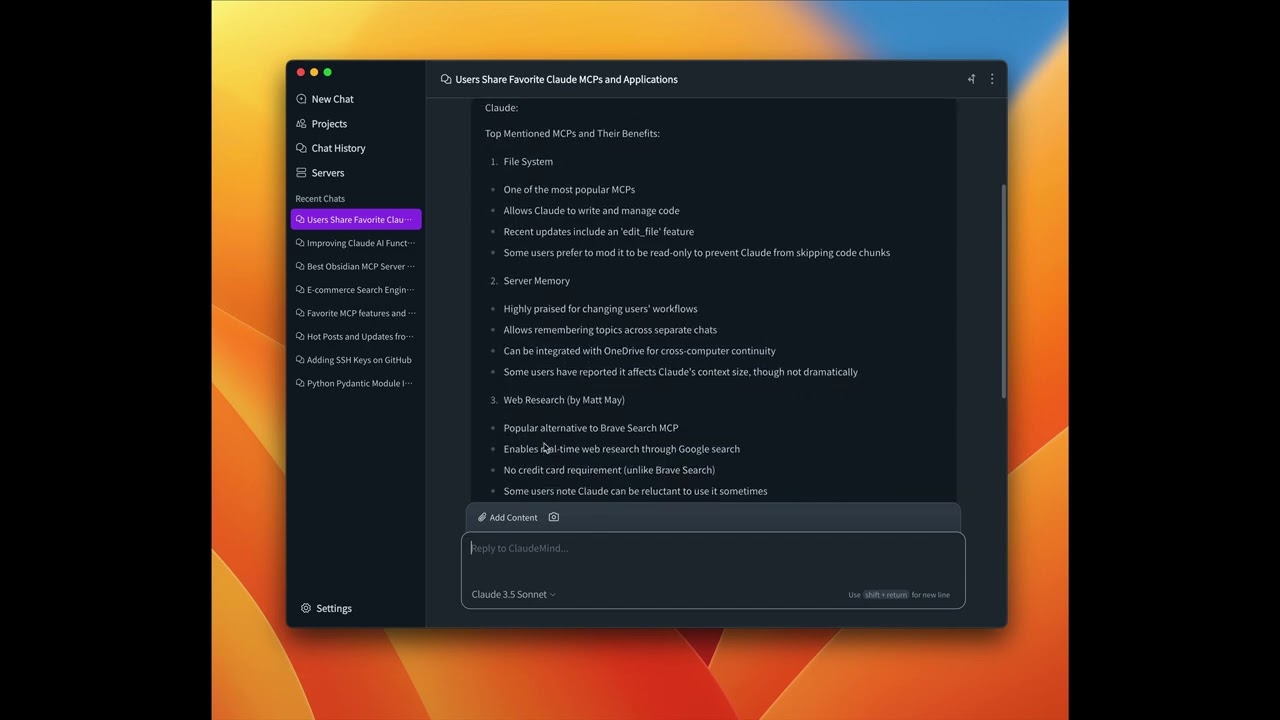
在Clinde中的演示👇
可用工具
-
get_frontpage_posts- 获取Reddit首页的热门帖子- 可选参数:
limit(整数):返回的帖子数量(默认值:10,范围:1-100)
- 可选参数:
-
get_subreddit_info- 获取子版块的信息- 必需参数:
subreddit_name(字符串):子版块名称(例如:'Python','news')
- 必需参数:
-
get_subreddit_hot_posts- 获取特定子版块的热门帖子- 必需参数:
subreddit_name(字符串):子版块名称(例如:'Python','news')
- 可选参数:
limit(整数):返回的帖子数量(默认值:110,范围:1-100)
- 必需参数:
-
get_subreddit_new_posts- 获取特定子版块的新帖子- 必需参数:
subreddit_name(字符串):子版块名称(例如:'Python','news')
- 可选参数:
limit(整数):返回的帖子数量(默认值:10,范围:1-100)
- 必需参数:
-
get_subreddit_top_posts- 获取特定子版块的顶级帖子- 必需参数:
subreddit_name(字符串):子版块名称(例如:'Python','news')
- 可选参数:
limit(整数):返回的帖子数量(默认值:10,范围:1-100)time(字符串):顶级帖子的时间过滤器(默认值:'',选项:'hour','day','week','month','year','all')
- 必需参数:
-
get_subreddit_rising_posts- 获取特定子版块的上升帖子- 必需参数:
subreddit_name(字符串):子版块名称(例如:'Python','news')
- 可选参数:
limit(整数):返回的帖子数量(默认值:10,范围:1-100)
- 必需参数:
-
get_post_content- 获取特定帖子的详细内容- 必需参数:
post_id(字符串):帖子ID
- 可选参数:
comment_limit(整数):返回的顶级评论数量(默认值:10,范围:1-100)comment_depth(整数):评论树的最大深度(默认值:3,范围:1-10)
- 必需参数:
-
get_post_comments- 获取帖子的评论- 必需参数:
post_id(字符串):帖子ID
- 可选参数:
limit(整数):返回的评论数量(默认值:10,范围:1-100)
- 必需参数:
安装
使用Clinde(推荐)
最简单的方法是通过Cline桌面应用程序使用MCP Server Reddit。只需下载并安装Cline,然后:
- 打开Cline应用程序
- 导航到服务器页面
- 查找mcp-server-reddit并点击安装
就是这样!无需任何技术知识——Cline会为您无缝处理所有安装和配置。
使用uv(推荐)
当使用uv时,不需要特定的安装。我们将使用uvx直接运行mcp-server-reddit。
使用PIP
或者您可以通过pip安装mcp-server-reddit:
pip install mcp-server-reddit
安装后,您可以使用以下命令作为脚本运行它:
python -m mcp_server_reddit
通过Smithery安装
要通过Smithery自动安装MCP Server Reddit用于Claude Desktop:
npx -y @smithery/cli install @Hawstein/mcp-server-reddit --client claude
配置
针对Claude.app配置
添加到您的Claude设置中:
<details> <summary>使用uvx</summary>"mcpServers": {
"reddit": {
"command": "uvx",
"args": ["mcp-server-reddit"]
}
}
"mcpServers": {
  "reddit": {
    "command": "python",
    "args": ["-m", "mcp_server_reddit"]
  }
}
针对Zed配置
添加到您的Zed settings.json中:
<details> <summary>使用uvx</summary>"context_servers": [
"mcp-server-reddit": {
"command": "uvx",
"args": ["mcp-server-reddit"]
}
],
"context_servers": {
  "mcp-server-reddit": {
    "command": "python",
    "args": ["-m", "mcp_server_reddit"]
  }
},
示例问题
- "Reddit首页当前的热门帖子是什么?"(get_frontpage_posts)
- "告诉我关于r/ClaudeAI子版块的情况"(get_subreddit_info)
- "r/ClaudeAI子版块的热门帖子是什么?"(get_subreddit_hot_posts)
- "显示r/ClaudeAI的最新帖子"(get_subreddit_new_posts)
- "r/ClaudeAI子版块的所有时间顶级帖子是什么?"(get_subreddit_top_posts)
- "r/ClaudeAI子版块现在有哪些帖子正在流行?"(get_subreddit_rising_posts)
- "获取这个Reddit帖子的全部内容和评论:[post_url]"(get_post_content)
- "总结这个Reddit帖子的评论:[post_url]"(get_post_comments)
调试
您可以使用MCP检查器来调试服务器。对于uvx安装:
npx @modelcontextprotocol/inspector uvx mcp-server-reddit
或者如果您已将包安装在特定目录或正在开发中:
cd path/to/mcp_server_reddit
npx @modelcontextprotocol/inspector uv run mcp-server-reddit
许可证
mcp-server-reddit根据MIT许可证发布。这意味着您可以自由地使用、修改和分发软件,但须遵守MIT许可证的条款和条件。更多详情,请参见项目存储库中的LICENSE文件。